How it works

From a description to a running application, with every decision visible.

Tell Amy what people do, what is stored, what must hold, and who decides what. Read the model Amy builds. Approve it. Then open the App.

Open Amy See a template

The model is the application definition. The App interprets the approved model at run time.

01 · Describe

Amy turns your description into an intent model.

Use plain language. Amy records the intent, operations, records, views, capabilities, relationships, and rules that make the application whole.

The tree grows while you talk

Workspaces hold intents. Each intent keeps one focused part of the application readable.
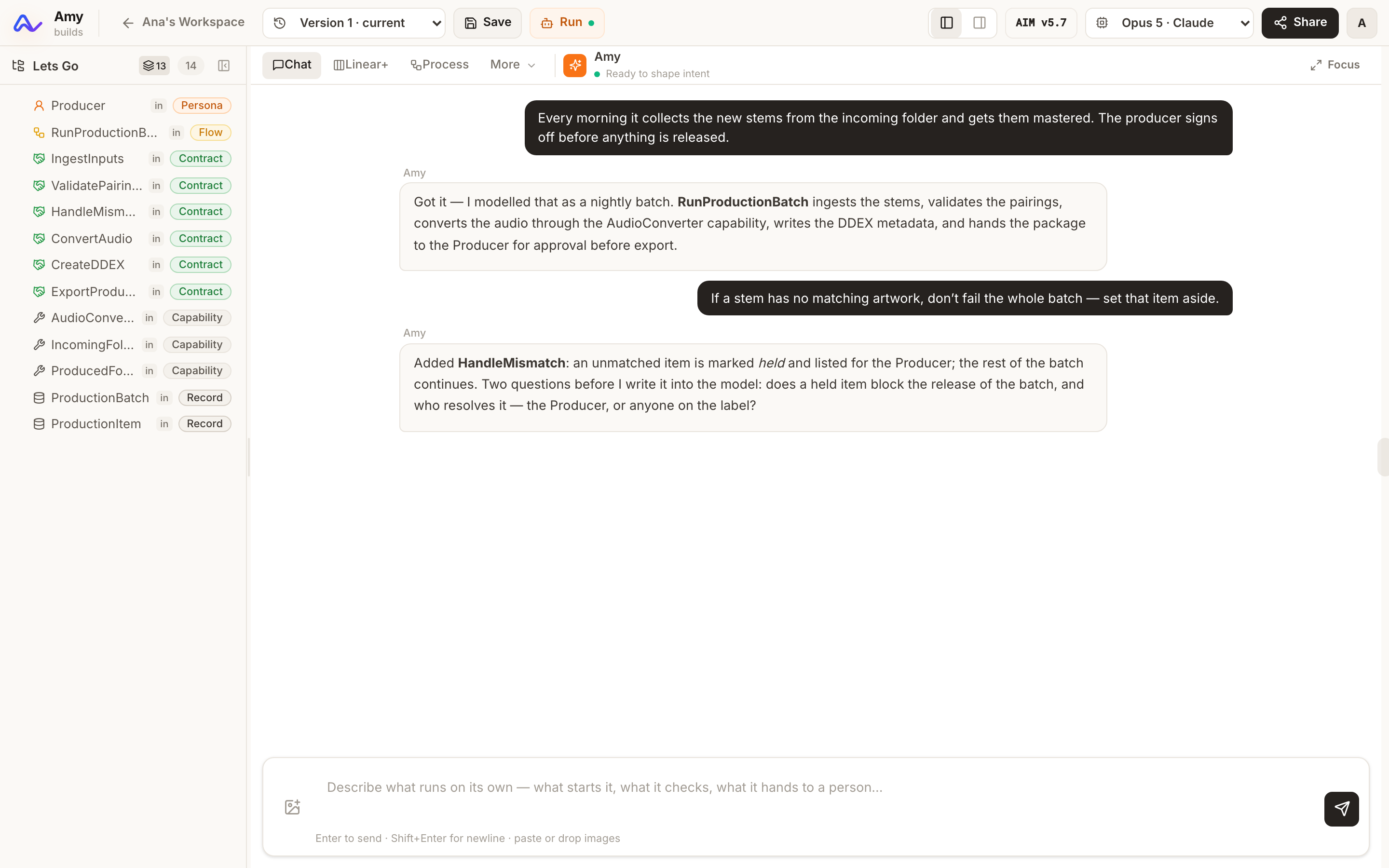
  • Chat with Amy about the application.
  • Import an existing AIM tree or codebase through the Encoder.
  • Diagnostics show gaps in the model.
Amy in the IDE: the conversation builds the intent tree on the left, one persona, flow, contract, capability and record at a time.

02 · Read and approve

You read and approve the model before it changes.

Every change is an explicit proposal. Accept it or reject it. Versions stay available and can be reopened.

Linear+

Operations in causal order

Read what happens, in order, with ownership visible.

Screens

Views as derived wireframes

See the surfaces the model calls for without designing finished screens.

More projections

Process, relationships, syntax, and content

Inspect swimlanes, diagrams, the parsed model, supplied copy, and seed rows.

One proposal, shown before and after

Read the affected parts of the model and decide whether the change becomes the approved version.
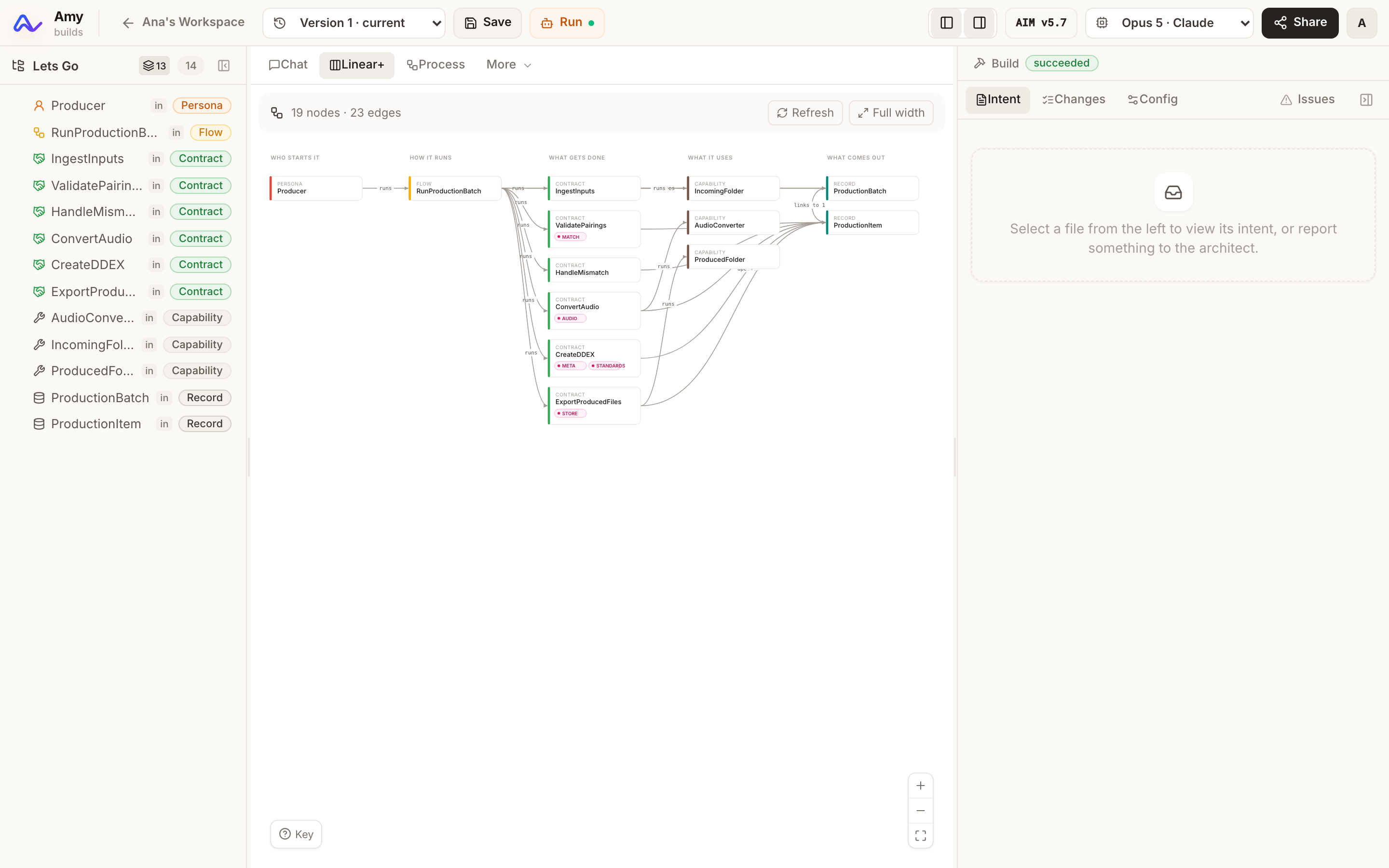
The Linear+ view of a model: who starts it, how it runs, what gets done, what it uses and what comes out, as columns joined by typed edges.

03 · Configure

Configuration says who fulfils each capability and where rows live.

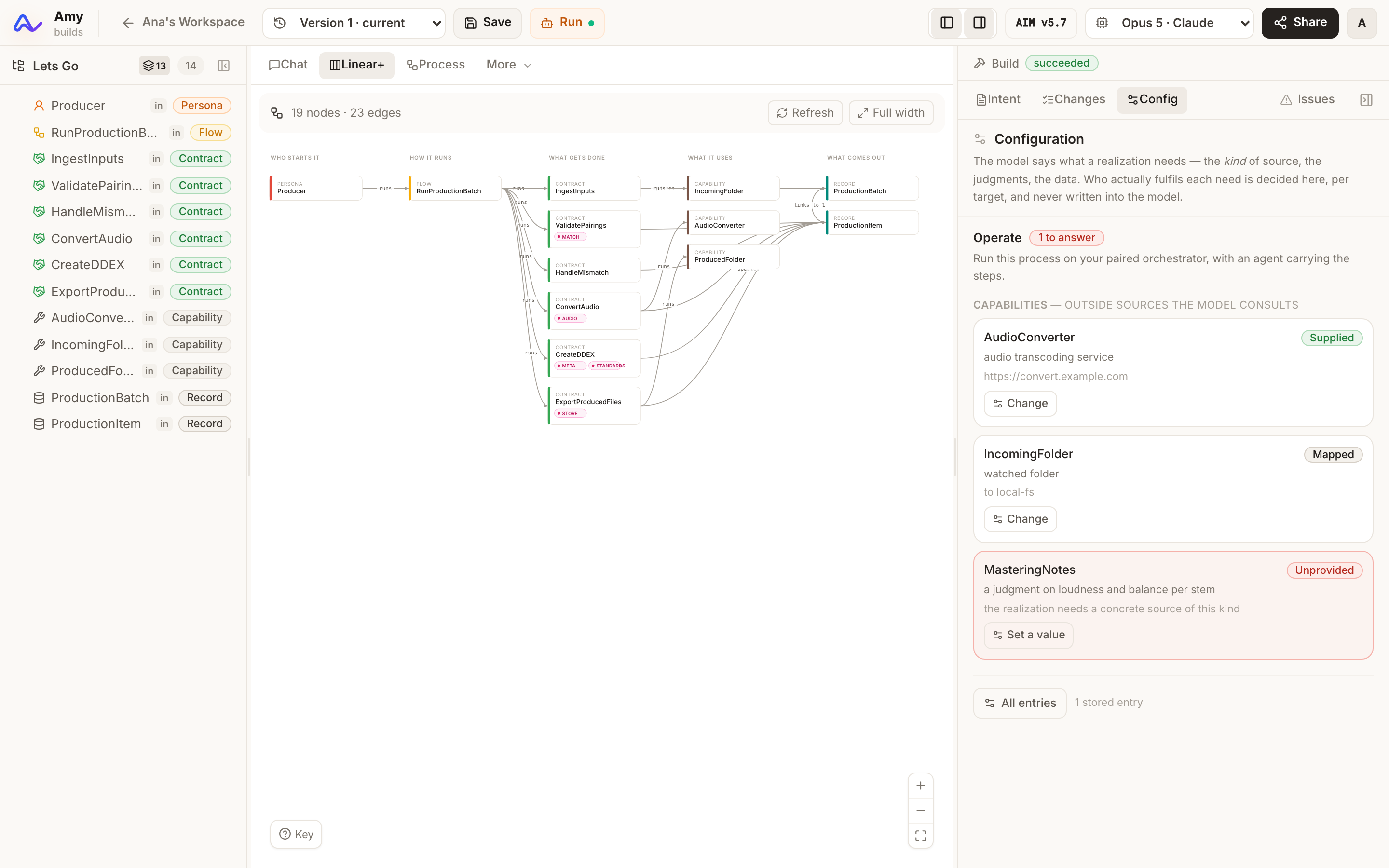
Each intent and target has one configuration. A capability can be fulfilled by an agent and model, by a system, or by a value.
The model stays separate from its providers

  • Choose which model judges.
  • Choose where records are stored.
  • Bring your own key for Gemini, Anthropic, or OpenAI models.
The Config tab beside Linear+: each capability the model consults, who fulfils it for this target, and the one still unanswered.

04 · Run

Amy runs the approved model as the application.

Provably simple operations run instantly. Operations that need interpretation use a checked model call. The engine commits only a valid plan.

The engine holds the boundary

The model proposes row operations. The engine checks the allowed record, existing row, schema, required fields, enumerations, references, and decisions.
  • Valid changes commit atomically.
  • Invalid changes are refused with the reason.
  • The AI never writes. The engine does.
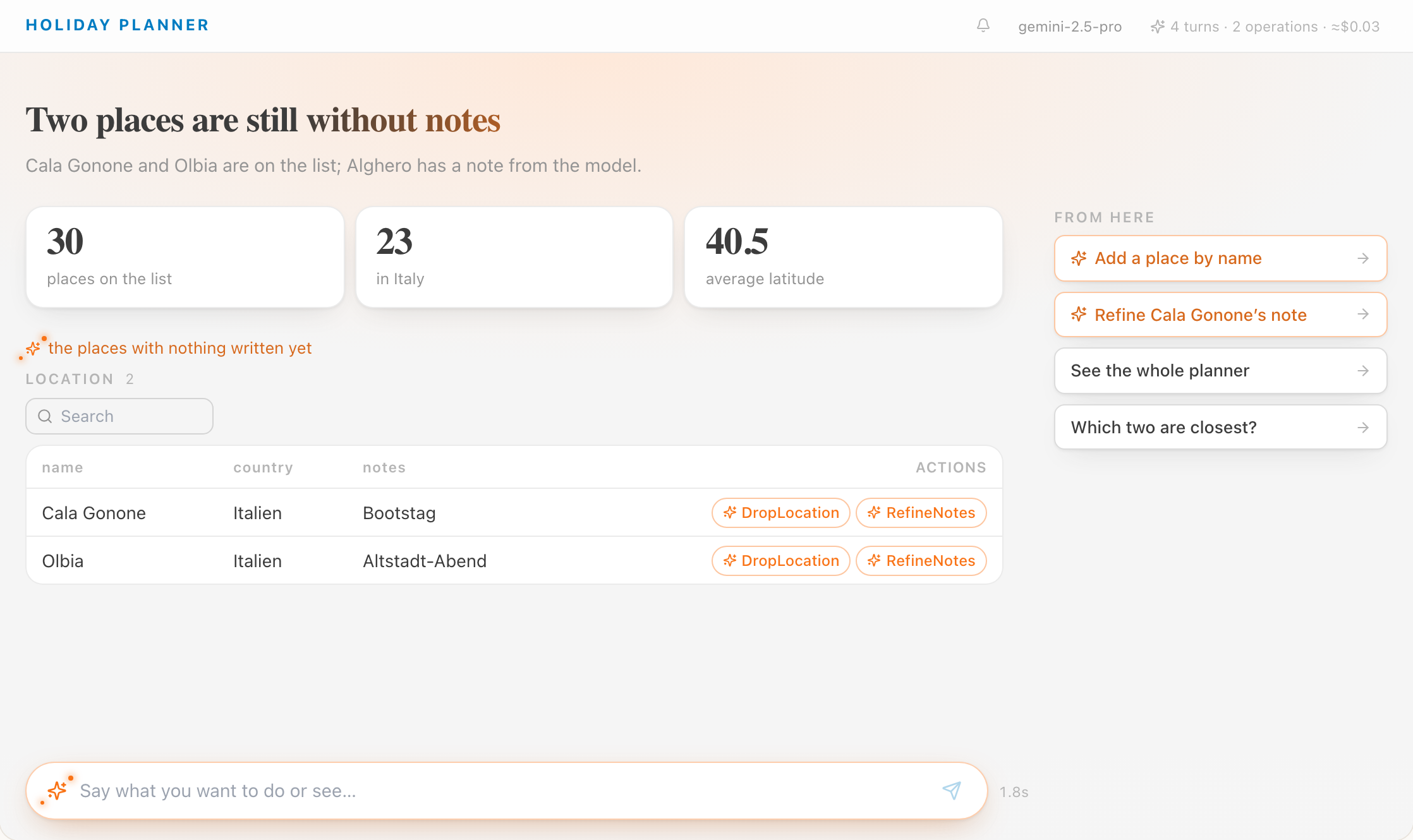
The Amy App running a guided turn: attention, figures, rows with their actions, and the moves from here.

The vocabulary

The words Amy uses name the parts of the running application.

The same vocabulary appears in the model, the configuration, and the App.

Intent
One focused purpose inside the application model.
Operation
Something a person, system, or agent can do.
Record
Structured rows the application stores and reads.
View
What the application needs to show for a purpose.
Capability
A service or information source an operation needs.
Config
The providers, judging model, and row store for one intent and target.
Turn
One composed App interaction from the model and current rows.

Try the loop

Describe the application. Read the model. Open the App.

Open Amy