
See the work
People, steps and decisions
Read the tree or explore a process chart. Follow who does what and where the work goes next.
From human knowledge to AI at work
Start in Studio with one process and the person who understands it. Amy helps make the steps, decisions and exceptions explicit. Review them together, then bring your team into Space to put the work to use.
01 · Explain
The knowledge might belong to a colleague, a process owner or a client. They describe what happens in their own words. Amy asks about the details that matter.
Amy connects the explanation into an intent: a structured description of what should happen, who is involved and which rules apply.
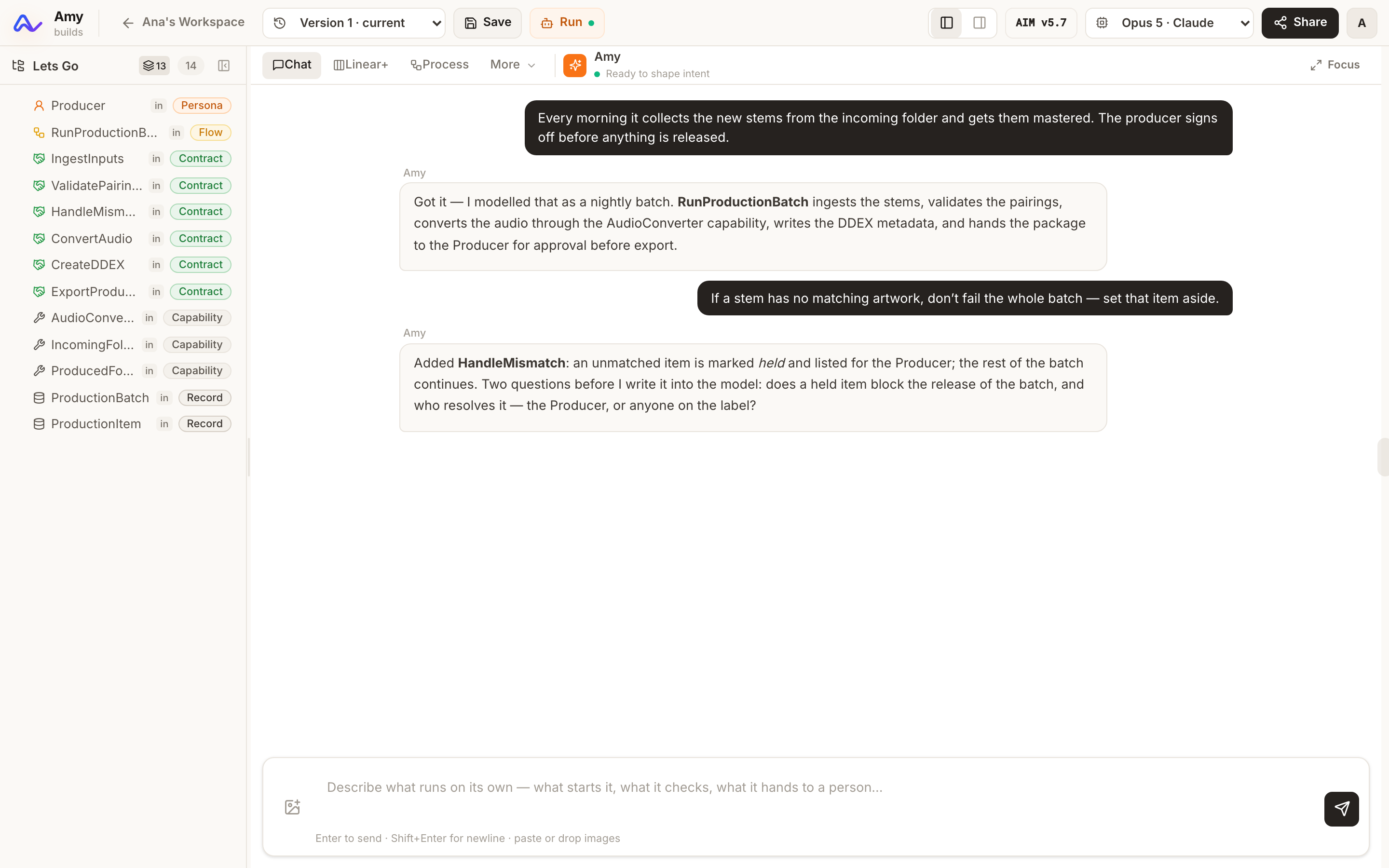
02 · Understand and review
Amy checks connections and helps uncover conflicting rules, missing decisions and unclear handoffs. The people who know the work review what it should mean.
Try it · Expense Approval template
Select Review to see what the manager checks and where approval or rejection leads. Switch to Tree or Linear+ to explore the same model from another angle. No sign-up needed.
See the work
Read the tree or explore a process chart. Follow who does what and where the work goes next.
Work through exceptions
Clarify the unusual requests and the decisions that need a person. Logic checks help focus the review.
Keep a shared reference
Inspect Amy’s proposals before accepting them. Versions help you revisit how the intent changed.
A shared process model is a complete result. Use it to agree how the work should happen, even if you never automate it. Explore all three templates
04 · Bring your people in
A shared place where your team works with AI—using your apps, following your processes, and working within the permissions and AI access you define. The relevant context and agreed rules stay connected to the work.
Your work
Find the apps and processes assigned to you. See which cases need your role, what is waiting and what has been completed.
Your team
Find colleagues in the team directory and talk through the work in private, one-to-one messages.
Your controls
Workspace owners assign app and process roles and manage shared AI model connections. Deployment administrators set model policies and review usage and estimated costs.
Owners manage invitations and settings in Studio. People can use Space without permission to change the underlying intents.
05 · Put it to work
Choose an app for interactive work or a guided process for cases and handoffs. Configure the AI resources and access, try the behavior, and bring in the people who will use it.
Amy runs supported behavior directly from the intent. The team can refine its rules without maintaining a separate application codebase.
Human decisions stay explicit in the process. App actions pass through permission and data checks before changes are stored.
See how Amy runs the work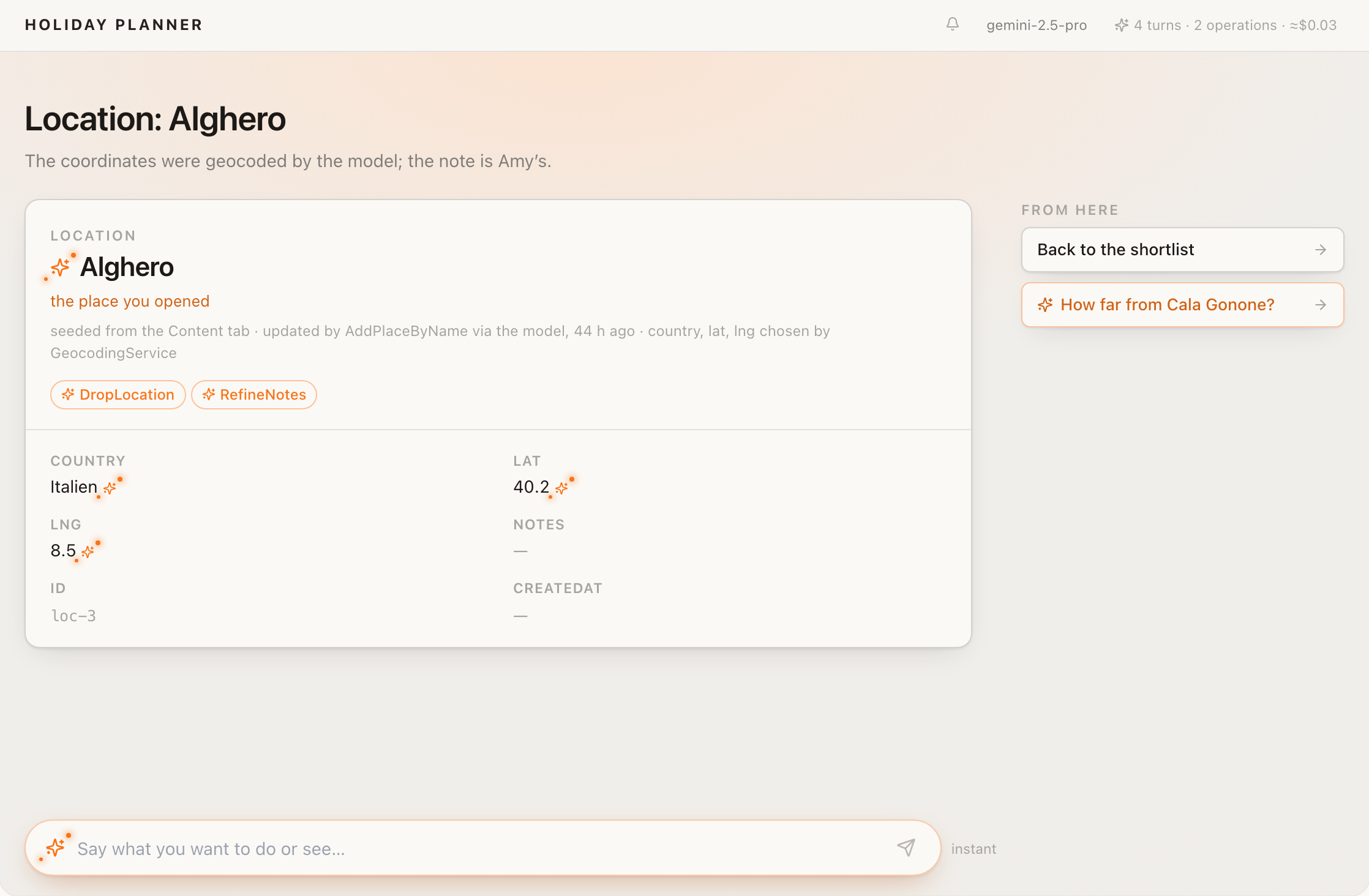
Start with something your team knows